Release Notes: January 30th, 2025
We’re back with another round of updates and fixes to enhance your experience with the Beta Editor! This release includes improvements to card editing, text handling, and new tooling for back panels. Here’s a breakdown of what’s new:
Fixes & Improvements:
Custom Card Compatibility: Custom cards created in the old editor can now be opened and edited in the Beta Editor, making the transition smoother.
Signatures on Mobile: Fixed an issue where signatures would disappear when using the Mobile Editor.
Signature Color & Font Reset on Desktop: Entering a signature on desktop no longer resets the color and font selection. Your chosen settings will now stay intact.
Bar Code Visibility on Flat Panels: The barcode on the back of flat panel cards is now visible when adding a full-bleed image.
Editing Cards from the Order Screen: When editing a card that wasn’t created in the new editor, the dialog prompting to copy the card will now properly close after the card has been copied, edited, and saved.
Mobile Card Catalog Updates: Fixed the sizing on category images for a more consistent and polished look.
Element Rotation Adjustments: Improved the rotation tools, ensuring smoother and more precise element adjustments with better rotation degree accuracy.
Text Editor Improvements:
Fixed various bugs that caused text to disappear during editing.
Added information about the double-click requirement when editing a text element, ensuring users understand how to enter text editing mode.
New Back Panel Tooling:
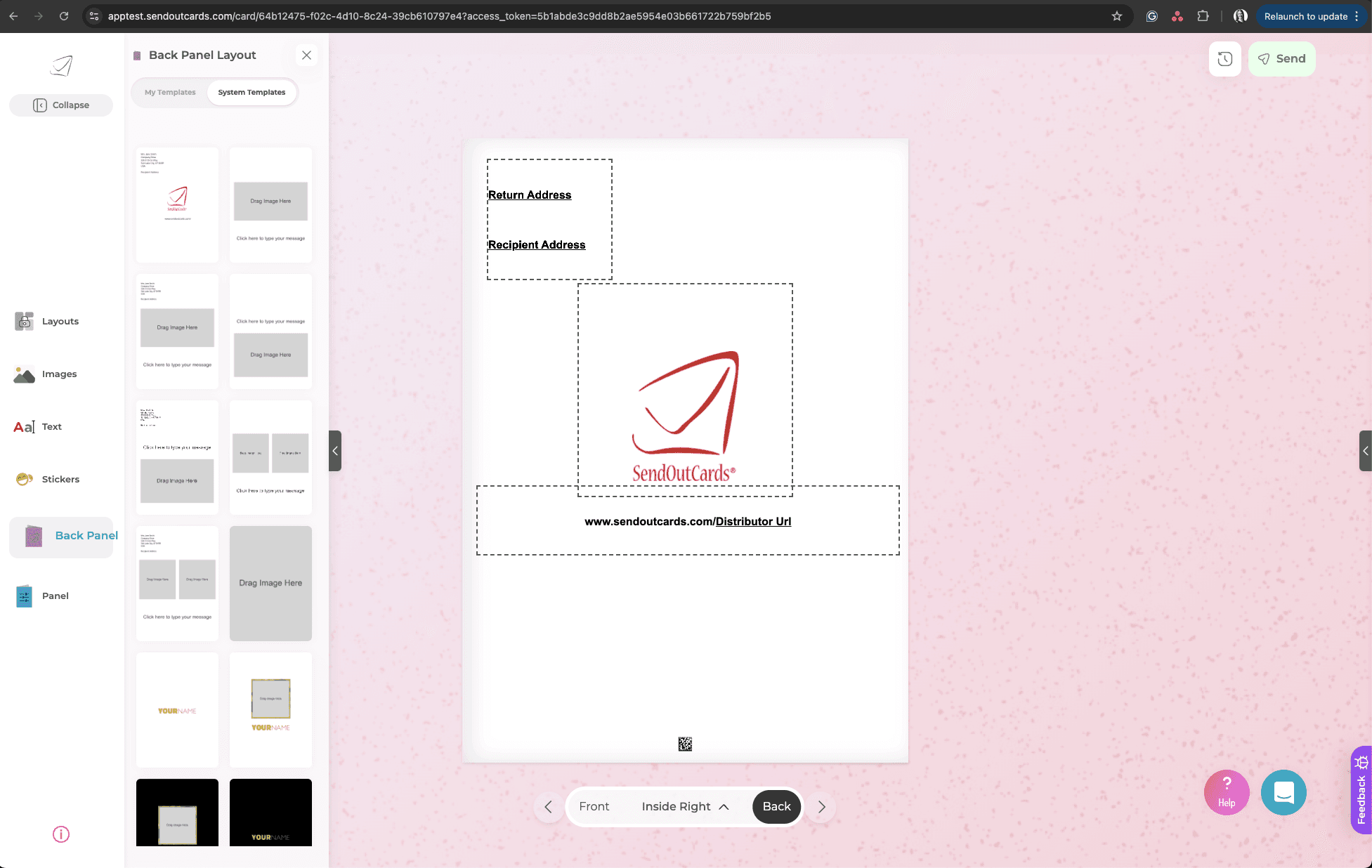
Dedicated Back Panel Icon & Tooling: Custom back panels now have their own dedicated icon and tools, providing a more intuitive and seamless experience when editing, creating, or setting back panels.
What’s Next?
We’re continuously refining the editor, improving performance, and working on exciting new features. Keep your feedback coming—it helps us make the Beta Editor even better!
— The Promtings IT Team